Salesforce Integration
Consistent and accurate address entry within your CRM.
Save more time with cleanly formatted address data.
Give your team accurate addresses in seconds, saved to Salesforce in a consistent format that your marketing, sales and service teams can rely on.
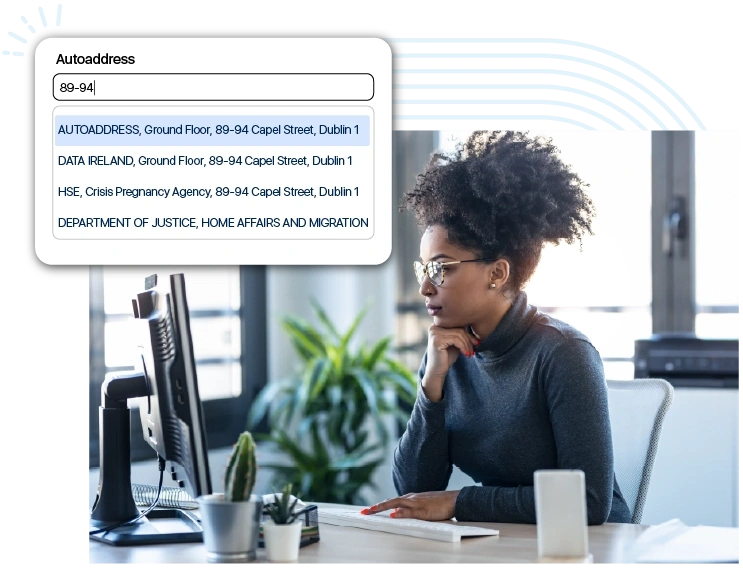

Verified addresses added straight into your records
Add the Autoaddress Capture component to any Salesforce record page and your team gets real-time address suggestions as they type, verified from authoritative sources such as Eircode, Royal Mail and USPS.
How does the Salesforce integration work?
1. Install the package
Install the package from a single link and add your Autoaddress API key. Setup only takes a few minutes.
2. Add it to your pages
Drag the Autoaddress Capture component onto any Lightning record page, such as Contact, Account or Lead.
3. Map your fields
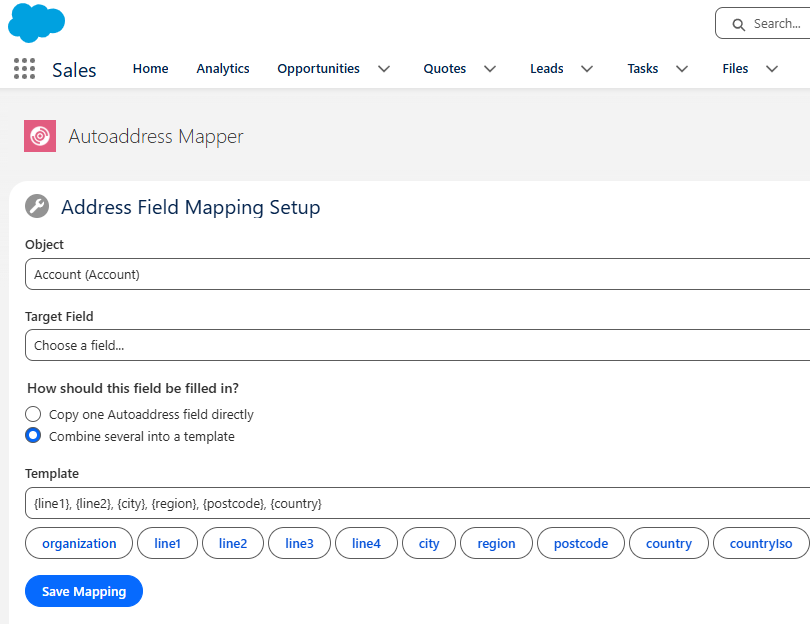
Use Autoaddress Mapper to decide which address fields are filled for each object. Mappings apply instantly once saved.
Address data that fits your Salesforce setup
Every company stores addresses differently. The Autoaddress Mapper lets your admin decide exactly what is written into which Salesforce fields for each object.
- Copy a single Autoaddress field, or combine address lines into one Street field using a template.
- Contact records work out of the box, and you can add Accounts, Leads and other objects in minutes.
- Mappings apply automatically once saved and are kept in place when the package is updated.

Why teams use it
- Installed and configured in minutes, with no development work required.
- Capture verified addresses without having to leave the record being worked on.
- Consistent format across each record makes region or postcode reporting reliable.
- Trusted by major organisations including Bank of Ireland, AIB, VHI and Allianz, and ISO 27001:2022 certified.
We’ll set it up with you
Getting started is a consultative conversation, not a download. Our support and onboarding team will walk through the objects and fields with you, configure the mapping to match how your org stores addresses, and make sure everything is working before your team starts using it.
Once you’re live, our support team will be there whenever you need them.

Frequently Asked Questions
Yes. Our Address Capture component sits on your Salesforce record pages and suggests verified addresses as your team types.
The onboarding process is fast and convenient, and requires no development work. Our onboarding team will also work with you to customise your exact requirements.
Yes, you need Salesforce Lightning Experience to use the Autoaddress Address Capture integration.
Yes, our address data works for users in 100+ countries and can adapt to local formatting structures.
Yes. Contact records work out of the box, and the Mapper lets your admin set up mappings for any other object. This is one of the first things a Salesforce admin will ask.
To get started, you will need a Salesforce org on Lightning Experience, a System Administrator to install and configure it, and an Autoaddress API key, which we provide. We have an in-depth, step-by-step guide on how to integrate, which we will set up with you.
If an address doesn’t match one of our picklists, the rest of the address is still saved and the field that needs attention will be flagged.
Yes. The Salesforce integration comes with our standard 14-day free trial, so your team can use it on real records before you commit. Get in touch and we’ll provide the package link and your trial API key, and help you set it up in your org.
Yes. Autoaddress is ISO 27001:2022 certified, which means our information security management is independently audited and certified to the current international standard. The integration connects to the Autoaddress API through Salesforce’s own named credentials, so your API key is stored and managed within your org using standard Salesforce security.
