Microsoft Dynamics 365 Integration
Consistent and accurate address entry for your Dynamics 365 records.
Get clean, consistent addresses into every Dynamics 365 record.
Typos and half-finished addresses lead to unreliable Dynamics 365 data. Autoaddress ensures the full, correct address is added to each record.
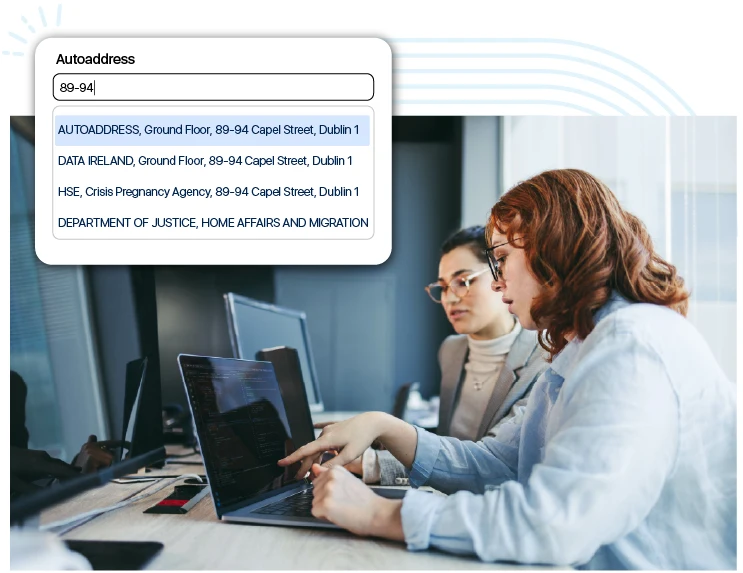

One search field for every address on a Dynamics 365 form
Our Address Capture component sits on the Dynamics address form as a single search field. It provides verified address suggestions in real-time from authoritative sources such as Eircode, Royal Mail and USPS. When a user picks a result, the street, city, county or state, postcode and country columns are populated. This works both in the web client and on mobile/tablet versions.
How does the Dynamics 365 integration work?
1. Import the solution
Import the Autoaddress managed solution in Power Apps and enter your API key during the import.
2. Add it to your forms
Add the Address Capture component to any form in your model-driven app, such as Contact or Account.
3. Map your fields
Choose which field on the form each part of the address should go into, then save it and publish the form.
Map each part of the address to the right Dynamics 365 column
- Each part of the address can be saved to the built-in address fields, with an extra Organisation field if required.
- The mapping is saved for each form, so you can add the same search to Account or other forms by setting it up on each one.
- You can then choose whether the search field appears on web, mobile and tablet versions.
AddressCapture property | Table column |
|---|---|
Organisation | Leave blank, unless you have a column for the organisation name at the address |
AddressLine1 | Address 1: Street 1 |
AddressLine2 | Address 1: Street 2 |
AddressLine3 | Address 1: Street 3 |
AddressLine4 | Address 1: Street 4 (If available) |
City | Address 1: City |
Region | Address 1: State/Province |
Postcode | Address 1: ZIP/Postal Code |
Country | Address 1: Country/Region |

Why use Autoaddress in Dynamics 365?
- Users can search by address or Eircode and choose the correct match as they type.
- Choosing a match will populate the street, city, state or province, postcode and country fields on the record.
- The search can be added to any form, such as Contact or Account, and it works on web, mobile and tablet versions.
- Autoaddress is installed as a managed solution in Power Apps, and your API key is stored within your own Dynamics 365 setup.
Getting started with our Dynamics 365 integration
Get in touch with our sales team, and we’ll work with you to set up Autoaddress in Dynamics 365. We’ll go through the forms you want to add it to and how your address fields should be mapped, so it fits the way your organisation works from the start.

Frequently Asked Questions
It works with model-driven apps in Power Apps, such as Dynamics 365 Sales, and you can add it to any form in those apps.
To get started, you will need access to Power Apps for the Dynamics 365 environment and permission to import solutions and edit forms. You also need an Autoaddress API key and the Autoaddress solution file, both of which we provide.
Autoaddress is a managed solution which you import through the Solutions area in Power Apps. An API key is entered during the import.
Yes. Users can search by Eircode or by address. The search field will prompt them with: “Enter Eircode or address.”
When a user chooses an address, it can populate Street 1 to 4, City, State/Province, ZIP/Postal Code and Country/Region. It’s also possible to map the organisation name to a field if you have one for it.
Yes. The mapping is saved for each form, so you can add the search to Account or another form by setting it up on that form.
Yes. You can choose to show the search field on any screen/device: desktop, mobile and tablet.
Yes. Our Dynamics 365 integration comes with the standard 14-day free trial. Get in touch and we’ll send you the solution file along with a trial API key.
Unfortunately, the API key cannot be changed once the solution is imported. To change it, the solution would have to be removed and imported again with a new key.
Set up Autoaddress in Dynamics 365
Tell us how you use Dynamics 365, and we’ll show you how Autoaddress fits into your setup.
