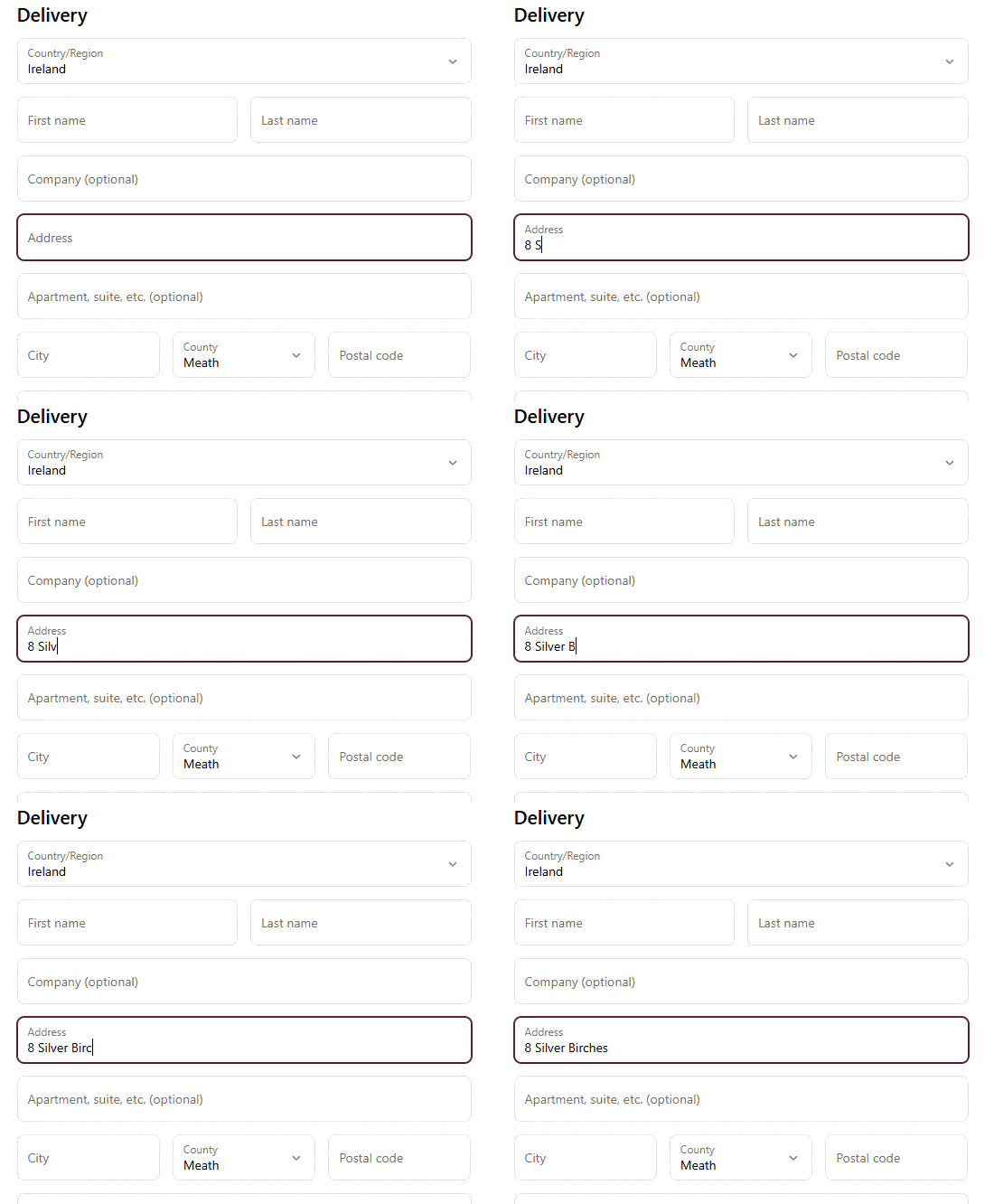
This leaves Irish merchants relying on manually entered addresses and dealing with the consequences later: orders that require manual intervention before they can be fulfilled. In some cases it may even result in delayed shipments or failed deliveries.
So what can you do if you it’s not possible to fix this at the checkout? The answer is actually what customers see after they’ve placed the order: the Thank You page.
The challenge facing Irish Shopify merchants
For most eCommerce businesses, address quality is easy to overlook…until it starts to cause problems. A customer might enter an address that looks correct, but then the warehouse team notices something. Perhaps the Eircode is incorrect, or maybe an apartment number is missing. Or perhaps the address is incomplete and doesn’t match a deliverable location.
At that point, the customer has already left your website. Now your team has to contact them, delay the shipment, or make a best guess and hope the courier can resolve the issue. None of those outcomes are ideal.
Why merchants can’t always solve this at checkout
If you’re on a Shopify Plus plan, you have more flexibility. The checkout can be customised and integrate external plugins that provide address autocomplete and verification as the customer types their address. This is the ideal scenario, as everything happens before the order is placed.
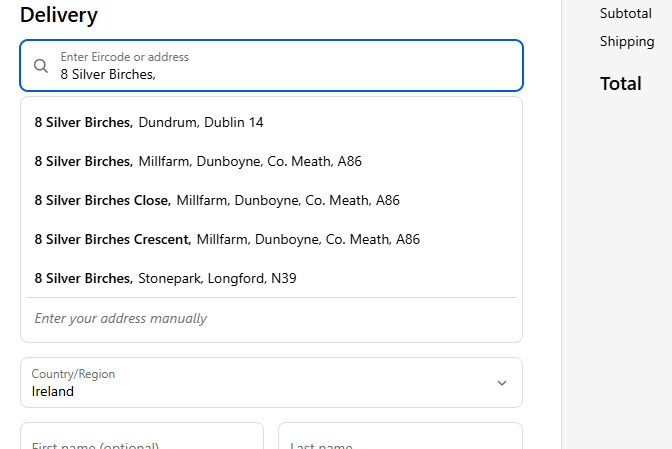
Unfortunately this isn’t an option for merchants on Shopify Basic, Grow and Advanced plans, due to restrictions with checkout customisation. It’s even more frustrating for Irish merchants because Shopify’s native address lookup doesn’t cover Ireland (see the full list of supported countries here). As a result, every shipping address entered on the checkout form has to be captured manually, unless customers are using a digital wallet such as Shop Pay or PayPal. While Shopify can identify some issues with incorrect Eircodes, it cannot verify whether a full Eircode matches the address entered by the customer.
A different approach: verifying addresses on the confirmation page
The good news is that the checkout isn’t the only place where you can check and verify addresses Shopify’s Thank You page gives merchants one last chance to interact with customers before the fulfilment process. Instead of waiting for address issues to be discovered by warehouse staff, customer service teams or delivery partners, addresses can be checked immediately after the order has been placed.
How the Autoaddress Shopify extension works
Our no-code plugin runs in the background of the Thank You page immediately after a customer has checked out.
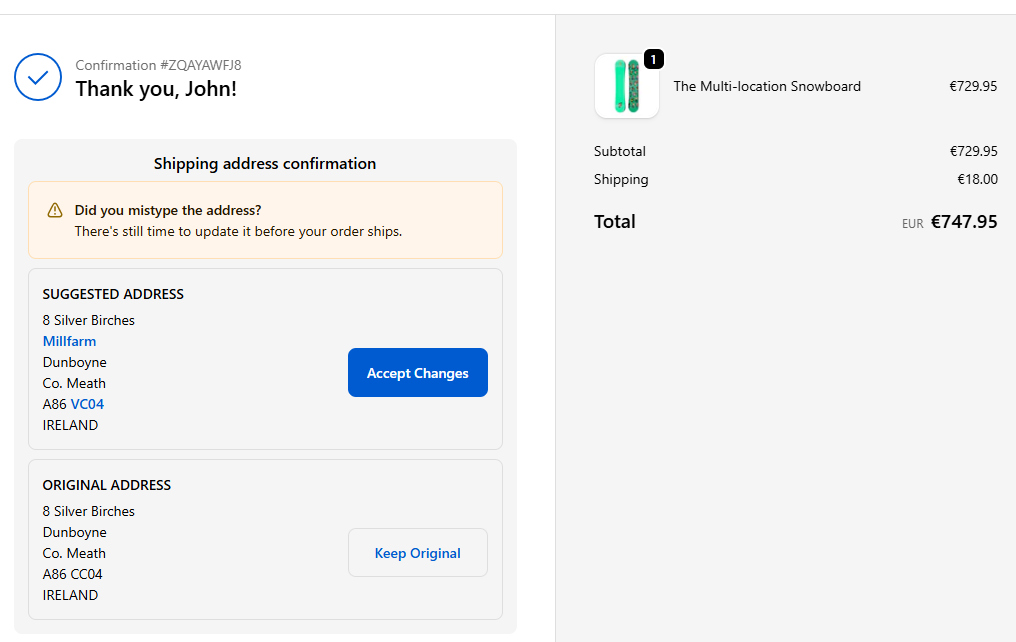
As soon as the order is placed, the shipping address is automatically verified using the Autoaddress API. If any issues are identified, the customer is presented with a suggested correction and can update their address before leaving the website. This goes beyond simple postcode validation. Our API doesn’t just check that an Eircode is correctly formatted—it verifies that the Eircode actually corresponds to the address entered by the customer. This helps identify issues that standard checkout validation may miss.
For example, a customer might enter a valid address but accidentally mistype their Eircode. Because both pieces of information appear correct in isolation, the error may go unnoticed until the order reaches the fulfilment stage of the process. By checking the address and Eircode together on the Thank You page, the customer has an opportunity to confirm the correct information. The updated address is then stored against the order, avoiding unnecessary manual intervention later on.
Why this is especially useful for digital wallets
When customers check out using Shop Pay, PayPal, etc, the shipping address is often pulled directly from the their account rather than being entered on the checkout form directly. This creates a faster and more convenient checkout experience, but it also means that merchants have fewer opportunities to verify that the address is accurate and correct before the order is fulfilled. Read more about digital wallets here.
The Autoaddress Thank You page plugin provides one final opportunity to review that information. If the address contains errors, missing details or inconsistencies, the customer can correct them immediately rather than being contacted later by customer service or fulfilment teams.
See it in action
If you’re shipping to customers in Ireland or the UK, you can install the Autoaddress plugin app directly from the Shopify App Store and instantly start validating shipping addresses on the Thank You page. All installations include a 7-day free trial.